I absolutely _love_ Reshift. I've used it for years now, ever since I really strained my eyes with working in terrible lighting for too long in a strange situation awhile back... It helps reduce my eye strain dramatically-- I set it at 4000k and also have a smart bulb also set at 4000k for when I work at night. Absolutely awesome program; eye-saver; I'd love to personally thank the author some day.
>Unfortunately, it is harder to configure than F.lux. It is a command line only tool (with a GUI indicator component) and it requires creating a manual configuration file.
I've been using Redshift for years, and it didn't require creating a manual configuration file unless you wanted to override the default settings. By default, it would use the geoclue2 package to try to figure out your geolocation and automatically adjust the brightness depending on that.
Unfortunately, the geoclue2 package has been broken on Fedora for several releases (it triggers an SELinux alert), so I only recently had to create the redshift conf file to manually specify my GPS coordinates. Other than that, there's no need to override any of the other default settings.
>Unfortunately, it is harder to configure than F.lux. It is a command line only tool (with a GUI indicator component) and it requires creating a manual configuration file.
Sums up the Linux experience perfectly.
"I'm a Windows/OSX user and want to switch to Linux is there an alternative to X app?
Yes but unfortunately, it is harder to configure, it is a command line only and it requires creating a manual configuration file."
If you check out http://jonls.dk/redshift/ you will note that they provide a sample configuration in what appears to be toml where each option is annotated example
    ; Global settings for redshift
    [redshift]
    ; Set the day and night screen temperatures
    temp-day=5700
    temp-night=3500
There are all of 9 settings in the default config with lots of explanations.
The level of challenge required to copy some text into a text file with the syntax
    [section]
    settingname=value
and change the values relevant to you is very modest.
People are prone to overestimate the difficulty of anything without a gui in fact its often like this.
Incidentally there appear to be a number of different guis for example on kde you could use
But that is not the point. For people who have never edited a config file, this seems quite strange. They wouldn’t know which editor to use, how to properly save the file and, most importantly, how to apply the config file. Chances are, I couldn’t do it intuitively. My go to way would be to just use systemctl restart but not all Unix systems use systemd. And if you start it using the desktop GUI, systemd is not used, so I have to “ps aus | grep redshift“, copy the PID (or process name) and use kill or killall. Sometimes this doesn’t work because it gives me 10 pids because it spawned so many children and I don’t have killall installed.
This is not very difficult if you have done it before, but there is steep learning curve before you can do it and quite different from “check a few boxes and click apply”. I personally prefer the config file way because it gives you way better control over your system (especially if a config file causes crashes due to a bug), it is way easier to backup and restore without guessing (program X uses 5 different paths for its gui files) and you can distribute changes easier and without the help of a specialized program.
But this sums up the Linux experience quite well IMO: there are many advantages to using Linux and once you have gasped the basics, everything is less scary. But the learning curve is quite steep especially if you have never done anything like it so not many people use it and therefore there are less Linux applications. Furthermore there is also more variety which means the way I know to do might not work for your Linux distro or the old server I’m ssh’ing into.
> if you start it using the desktop GUI, systemd is not used, so I have to “ps aus | grep redshift“, copy the PID (or process name) and use kill or killall.
Or, since you started it with the GUI, you could just choose "quit" from the menu that appears when you click on it.
The text configuration is so easy anyone could do it once in 2 minutes and not worry about it for the next 10 years. It actually has a gui in fact multiple guis for this particular app based on platform.
If I mangled it and removed punctuation it might fit in a tweet but this wouldn't be as illuminating as actually showing how simple the configuration format is or linking to an actual frontend so you could see how it looks.
We write posts longer than tweets because we care about care about communicating ideas of value.
Non-text configuration is beyond me. Changing text files is easy because I already know how to use a text editor. Changing something in a labyrinthine set of nested GUI menus that may or may not contain the option you want, that has no comments, is kinda horrible. And it's even more horrible if you end up editing hexidecimal values in regedit.
I know there's this theoretical 'end user' who likes to point and click, but honestly, I've never met them. People who don't like computers just don't do configuration - having a GUI or not is besides the point - other than the fact it makes the howto of configuration difficult to communicate and specific to every app.
You really are out of touch with the end users of most software then. You're not living in the corporate world dealing with them, and troubleshooting their issues. Most people come into work, click on the same exact shortcut on their desktop, type in the same exact data all day, and then leave. If that shortcut is missing for some reason, they can not do their job. If ANYTHING deviates from the norm, they can not do their job. Full stop. Could they type in the address of that web app without the shortcut? Of course, but they have NO clue what that even means. Copy and paste with the keyboard? That's a revelation to most. Many can't even type without looking at the keyboard.
This is clearly a foreign world to you. Which is fine, but please don't act like you and your peers are anywhere near the other 99% of computer users. This is EXACTLY what people talk about when a discussion comes up about developers creating things for themselves, and not their end users.
"If that shortcut is missing for some reason, they can not do their job."
I don't expect everyone to edit their text configuration in vim but come on everyone can learn better than that.
Acting like complete computer illiteracy is fate is nonsense. There are fewer and fewer of the people that grew up completely before computers and virtually every job requires some computer use at this point.
Sure they can, but twenty years experiences shows me they won't. You'd think it would be different between generations, but it's not. The new generation growing up now solely with smartphones is even less literate with computers.
I don't know if computer literacy is the problem here. I spent many years as a teenager heavily configuring my computers, despite having basically no knowledge about how they worked. I think it's more the case that some people are simply disinterested in computers, and as such, neither like textbased nor gui configuration - they would rather the computer just worked the way they expect it to. Which is, in my eyes, reasonable. These people tend to care about configuration solely when something isn't working, at which point they tend to go to google, or ask somebody. At which point, text based configuration makes more sense, because you can just copy and paste it (at the cost, I guess, of being more sensitive to small mistakes in syntax).
I don't blame them. People don't generally have the vocabulary to specify their problem, so googling isn't normally that helpful. If by luck, you find the right words, then you're (assuming windows) dropped into the online trash-heap of viruses and horror that are blogs and forums for windows computer problems. Then, if by more luck, it's not massively out of date or a trojan, you have to click through a million GUI menus, or perhaps edit a registry key - which is frankly daunting even if you like hexidecimal. Then nothing happens, because you have to reboot.
I personally like that computers as they exist developed organically, and primarily reflect the culture and ideas of their programmers. Equally, I can see it's no fun at all if you're the kind of 'end-user' who really just wants microsoft word and the occasional video. My grandad can use IOS because it was designed explicitly for end-users - which shows that it's primarily a design problem, not a people problem.
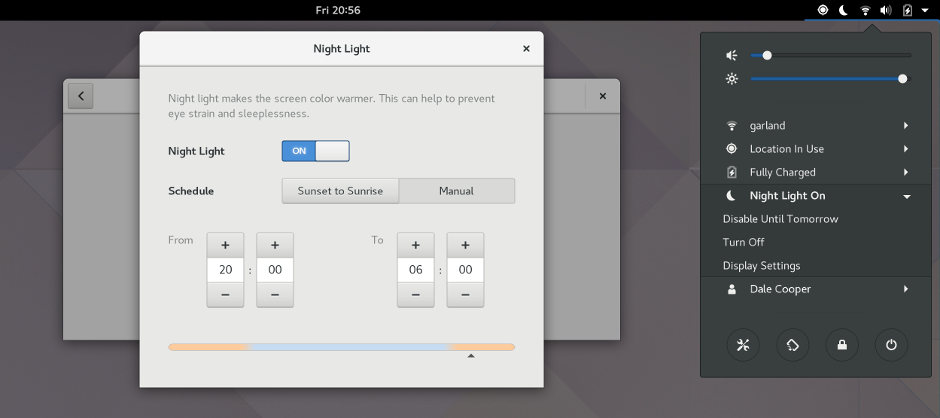
The majority of users would either (A) not care about their screen's colour temperature at all, or (B) just turn on Night Light using Gnome's settings. Redshift is very much a niche tool.
It's a config file when I get a new machine I copy my config files over. Not everything decides to rewrite in an incompatible fashion every 2 years.
With a gui interface you install fresh and configure to your liking each time.
With a file you could switch out your entire os and not have to reconfigure your apps.
A novice user will not even find the config file, or the place to store it in. Because for reasons of antiquated tradition, Linux still uses this concept of dot-files and -directories, and redshift's config is somewhere in ".config".
So if a beginner user uses, say, GEdit to create that config file, and then wants to save it... they will probably end up staring blankly at their home folder contents in the GEdit file save dialog, searching for this ".config" folder, not finding it.
I just bound it to 5 keyboard shortcuts to switch between off, 5000K, 4200K, 3400K and 2500K. During the day I just pick whichever matches the ambient light, which one feels best or is required for current activity. (In practice I do not use the 2500K setting)
Maybe I'm unique but I never liked how F.lux on Windows made the transitions slow, and automagically based on what the sun is doing, which approximates but often does not quite align with the ambient light in a room, let alone pick up on my fickle personal preferences of just how orange-pink I like my monitor to be at any moment.
Edit to add: This method uses no config files. I just apt install redshift and use keyboard settings to bind shortcuts to commands `redshift -x`, `redshift -O5000`, `redshift -O4200`, etc.
Totally. I just decided I like having more options. When I'm reading webpages I set the colour temperature lower than when I'm watching series, for instance.
Who said that? You can always decrease brightness on a Linux laptop since the first gnome, I myself have gnome3 installed on 2 laptops and the brightness buttons are working perfectly fine.
I could never adjust the brightness of my laptop under Linux. So many people defend Linux to the point of denying people's first hand experience with it.
Didn’t work on my old Toshiba Satellite either. It wasn’t a particularly unpopular piece of hardware or anything.. actually it couldn’t even read the battery % due to an ACPI issue.
The buttons do work. But, some monitors are still too bright at night even with that brightness set to minimum, and hardware monitor controls set to minimum too.
Redshift manages to decrease brightness even further.
To be honest, I've pretty much given up on Gnome. They're removing features I depend on left and right, don't respond to issues, and from everything I've heard, their technology stack seems to be a disaster.
I'm happy just using KDE Plasma, XFCE and i3wm and not having to care about whatever Gnome is doing (except when changes to GTK affects the rest of the ecosystem, like their client side decorations which make Gnome apps look out of place).
Shameless plug: If someone is interested in using a program that has X as the only runtime dependency, you could checkout [0]. It is less a works-out-of-the-box solution, than a set of two tools you can integrate into your setup to shift screen color to your liking. It was inspired by [1].
Sadly not available for Wayland because of Wayland's architecture. KDE and GNOME have some functionality built in but I don't know how good it actually is compared to redshift.
That's not quite true: the compositor needs to support it. There's a protocol [1] for it that's supported by a redshift with a patch [2]. It also works out the box for any wlroots-based [3] compositors, like sway [4].
Footnote footnote footnote: Thanks for your work on sway. I still haven't switched to Wayland full-time, but sway was definitely a huge push for me to try it out. :D
I've recently upgraded from Ubuntu 16.04.5 to 18.04.1. The built-in Night Light functionality is actually OK. A little bit too red for my taste, but it does what it should.
I have a monitor connected to Xubuntu with X.org using redshift side by side with one hooked up to Fedora and GNOME. I think the latter often looks a little redder around sun set, but maybe my times aren't synced.
Both look great.
I have to relaunch redshift when I reboot. The GNOME setting just had to be set once.
You'll probably find that times are synced fine due to NTP... It's more likely to be colour temps, or possibly redshift's "location" setting that are different.
This is one of those reasons why I hope Wayland doesn't take over too fast. I know it is awesome, and new, and has tons of benefits, but there are a few things that I couldn't live without that it doesn't have :(
I have been using Redshift ever since I reverted from Mac to GNU/Linux. I am not certain if it has any influence on my sleep, but I do like the warm, comfy colors, especially in winter.
I don't really like these programs. I think it's better to drop monitor brightness than adjust the color temperature. Better for your eyes and you can see the colors better.
It's unfortunate that you're being downvoted without anyone telling you why they're downvoting.
The issue isn't brightness, it's the actual color of the light. The tl;dr version is "blue light definitely messes with your sleep cycle." There's a Wikipedia page about this, with several references at the bottom: https://en.wikipedia.org/wiki/Effects_of_blue_light_technolo...
(And I'm sure a search in your favorite search engine will find even more information on this subject)
...eventually when your immune system declines due to age, or if you have an immune disease. The author of f.lux reviewed the recent blue light study on HN, in part pointing out that a daylit blue sky delivers far more blue light to one's eye than screens.
I love these programs (or settings) on any platform I use (Windows, Mac, iOS, Linux). They do make a difference to my eyes in the evenings when working with these screens.
Does this work on macOS? The source code seems to be including X11 headers, so I guess it would require XQuartz or something to make it work? Has anyone got sct to work on macOS?
Redshift works just fine on macOS. I've been using it and I like it more than f.lux because one can write scripts around it.
You should definitely start using redshift, if the thought crosses your mind.
P.S. I am not sure what one's mileage might be in Linux without being able to access a terminal. That said I found redshift working out of the box, and there are various guis (see mentioned below). So the argument that it was harder to configure does not resonate with me really.
Even better option is to check if your monitor supports DDC [1], that way you can adjust monitor settings without fiddling with monitor buttons. For linux I use ddccontrol.
If it feels easier to look at your screen, do it. I have my daytime colour temperature a bit warmer than default on all my devices (then much warmer at night).
I'll go a step further: most screens even black has some brightness and blueness. You can see the difference if you wear blue-blocking glasses. A pair of those is worthwhile. They're more widespread and inexpensive these days.
But yeah, like the other reply, I use Redshift slightly less blue in daytime and much less blue at night.
Do you or anyone else have a third setting for bedtime like f.lux has (say for 1 or 2 hours prior to bedtime)? If yes, how do you simulate this third setting and how do transition smoothly from the evening setting to the bedtime setting?
I set daytime to 6250. I try to remember to wear amber glasses at bedtime. And the KDE Plasma Redshift Control widget lets me quickly scroll over the icon to make things more red or less.
I don't have 3 different auto-settings. I would LIKE to do that though!! Is there a way to do that?
Yes you can just run `redshift -O3400` (where 3400 is your colour temperature of choice) at startup and it'll switch to that temp, without fancy timing or latitude